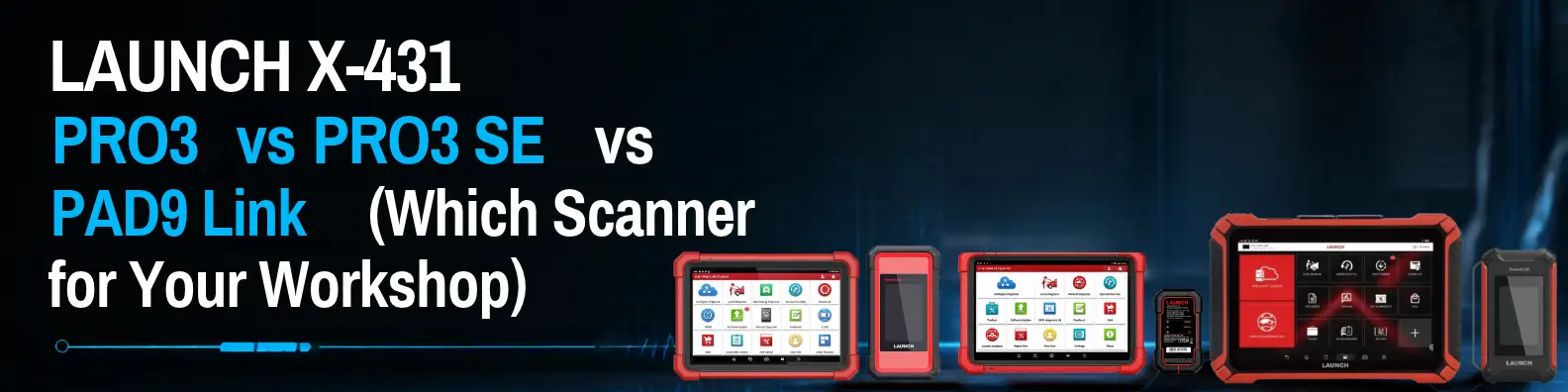
LAUNCH X-431 PRO3 vs PRO3 SE vs PAD9 Link - Which Scanner Is Right for Your Workshop?
Search for a LAUNCH scanner and you will meet a wall of names: X-431 PRO3, PRO3 Link, PRO3 Link V2, PRO3 SE, PRO SE, PAD9 Link, PAD9 Link V2. It is no surprise that workshop owners end up confused about which one to buy.
This guide cuts through the confusion in plain language. You will see how the LAUNCH X-431 PRO3, the PRO3 SE and the PAD9 Link differ, what to check before you buy, and which one fits your workshop.
Quick answer: Choose the PRO3 if you want a proven all-round scanner at a sensible budget. Choose the PRO3 SE if you service newer cars and want modern protocol support such as CAN FD and DoIP. Choose the PAD9 Link if you run a busy workshop or dealership and want LAUNCH’s flagship with a bigger screen and faster scanning. Always confirm the exact version and what is in the box before you order.
Why are LAUNCH model names so confusing?
LAUNCH sells the same family of scanners under several names, and each region and seller writes them differently. You will see “PRO3”, “PRO 3”, “PRO3S+” and “V+” for similar tablets, and “PAD9” and “PAD IX” for the same flagship. Here is a simple decoder.
What you see | What it usually means |
|---|---|
X-431 PRO3 | The 10-inch PRO3 series tablet, LAUNCH’s value all-rounder |
Link (as in PRO3 Link, PAD9 Link) | Usually means the tablet comes with LAUNCH’s SmartLink wireless connector. Check what is in the box. |
V2 | Usually an updated version of the same model. Ask what changed. |
PRO3 SE | A newer PRO3 variant with the DBSCAR VII connector and modern protocol support |
PAD9 or PAD IX | LAUNCH’s flagship tablet series |
If you meet a name that is not on this list, send it to us and we will tell you what it is.
LAUNCH X-431 PRO3 the all-rounder player
The PRO3 series is LAUNCH’s cost-effective professional scanner. According to LAUNCH’s own information, the PRO3 is a 10-inch Android tablet with 4 GB of RAM and 64 GB of storage, a 6300 mAh battery and dual-band Wi-Fi. It covers more than 98 percent of car models, runs full-system diagnosis and supports topology mapping. It also has a metal stand that adjusts up to 180 degrees, which workshop users like.
Good for: independent multi-brand workshops, growing garages and anyone who wants a dependable scanner without paying for flagship features.
See our LAUNCH X-431 PRO3 Link and PRO3 Link V2.
LAUNCH X-431 PRO3 SE for newer cars
The PRO3 SE is built around the DBSCAR VII connector, which works over both Bluetooth and a USB cable. Published product information lists support for CAN FD and DoIP, ECU coding and 39 service functions. In simple terms, these are the newer ways modern cars communicate, so the PRO3 SE is the one to look at if your workshop sees more recent models.
Good for: workshops that service newer vehicles and want ECU coding and modern protocol support.
See our LAUNCH X-431 Pro3 SE, PRO SE and PRO SE Lite.
LAUNCH X-431 PAD9 Link the flagship
The PAD9 Link is LAUNCH’s top tablet. It comes with the SmartLink C V3.0 connector, which gives stronger Wi-Fi and a more secure connection. LAUNCH describes its multi-channel system scanning as around 10 times faster, and it is meant for passenger cars, commercial vehicles and new energy vehicles. Global listings show a large high-resolution screen and much more memory than the PRO3, though specifications can vary by version.
Good for: busy workshops, dealership-style service centres, fleet garages and workshops that also handle commercial or electric vehicles.
See our LAUNCH X-431 PAD9 Link and PAD9 Link V2.
PRO3 vs PRO3 SE vs PAD9 Link at a glance
PRO3 | PRO3 SE | PAD9 Link | |
|---|---|---|---|
Best for | All-round workshop use | Newer cars and coding | Busy, high-end workshops |
Screen | 10-inch | Check your version | Large, high-resolution |
Connector | Check what is in the box | DBSCAR VII (Bluetooth and USB) | SmartLink C V3.0 |
Modern protocols (CAN FD, DoIP) | Depends on the version and adapter | Supported | Supported (check the version) |
ECU coding | Yes | Yes | Yes |
Scanning speed | Good | Good | Fastest of the three |
Price level | Lowest | Middle | Highest |
These are typical characteristics, not a guarantee for every version. The exact screen, memory, update period and included adapters depend on the model and version you buy, so ask us for the datasheet.
What every one of these scanners can do
All three are professional tools, so they share the core features workshops need:
- Full-system diagnostics, so you can read and clear codes on all control units.
- Live data and special service functions, such as oil reset and brake and steering resets.
- Bidirectional control, so you can send commands to a part to test it.
- ECU coding on supported cars.
- Add-on modules for jobs like tyre pressure sensors, battery testing and more.
The real differences are speed, screen, connection and how well each handles newer vehicles.
Which scanner should you buy? A simple guide
Your workshop | Our suggestion |
|---|---|
Starting out or a small multi-brand workshop | PRO3 |
Mostly newer cars, with coding and programming jobs | PRO3 SE |
Busy workshop with several technicians | PAD9 Link |
Dealership-level service centre | PAD9 Link |
Fleet garage with cars and commercial vehicles | PAD9 Link |
EV workshop | PAD9 Link or PRO3 SE, plus the EV tools below |
Still unsure? Tell us the brands you service and how many cars you diagnose a day, and our team will recommend one.
8 things to check before you buy any scanner
- Brand coverage. Make sure it covers the cars you actually service, including Indian brands.
- Service functions. Check the resets you use most, such as oil, brake, steering angle, DPF and TPMS.
- Coding and bidirectional control. Check they work on your brands, since support varies by vehicle.
- Update period. Ask how long free software updates last and what it costs to continue after that.
- What is in the box. Check the connector, cables and whether any adapter for CAN FD or DoIP is included or sold separately.
- Screen and speed. A bigger, faster tablet saves time every day on a busy bench.
- Add-ons. Plan for extras such as TPMS tools, a battery tester or a programmer.
- Support and warranty. Buy from an authorized distributor so the warranty and software activation are genuine.
Add-ons that make your scanner earn more
A scanner is the start of a diagnostic bay. Many workshops add:
- LAUNCH ITPMS for tyre pressure sensors.
- LAUNCH X-431 ECU and TCU programmer and the X-PROG 3 PC adapter for programming work.
- LAUNCH CRT 511E for tyre and sensor service.
- A battery tester for quick battery and charging system checks.
- EV equipment, including the LAUNCH EVM 324 battery equalizer, if you plan to service electric cars.
See the full range of LAUNCH products.
Common mistakes when buying a LAUNCH scanner
- Buying the cheapest version without checking coverage. A scanner that cannot read your brands wastes money.
- Paying for flagship features you will not use. A small workshop may be better served by the PRO3.
- Ignoring the update plan. Ask what happens after the free update period ends.
- Not checking the box contents. Some adapters and add-ons are sold separately.
- Buying from an unauthorized seller. You risk a fake or unactivated tool with no warranty.
- Expecting coding to work on every car. Coding support depends on the vehicle.
Why buy your LAUNCH scanner from Technomatic Industries
Technomatic Industries has been the authorized LAUNCH distributor in India since 2010, and we have supplied Indian workshops since 2003.
- Genuine, warranty-backed LAUNCH scanners from an authorized distributor.
- Help choosing the right model, so you do not overspend or buy the wrong version.
- Dealer and distributor pricing, with nationwide supply.
- A complete range of scanners, programmers and add-ons.
Read more about us.
Frequently asked questions
What is the difference between LAUNCH X-431 PRO3 and PRO3 SE? The PRO3 is the cost-effective all-rounder. The PRO3 SE uses the DBSCAR VII connector and lists modern protocol support (CAN FD and DoIP), ECU coding and extra service functions, which suits newer cars.
Is the PAD9 Link better than the PRO3? The PAD9 Link is LAUNCH’s flagship, with a larger screen and much faster scanning. It costs more, so it makes most sense for busy workshops and dealership-style service centres.
What does Link mean in PRO3 Link and PAD9 Link? It usually means the tablet comes with LAUNCH’s SmartLink connector. Check the box contents on the product page.
What does V2 mean? It usually marks an updated version of the same model. Ask us what changed before you choose.
Do these scanners support CAN FD and DoIP? The PRO3 SE and PAD9 Link are aimed at newer vehicles. Some versions need an extra adapter for DoIP, so check what is included.
Can these scanners do ECU coding and bidirectional control? Yes, on supported vehicles. Support varies by brand and model.
Which LAUNCH scanner is best for a small workshop? For most small multi-brand workshops, the PRO3 offers the best balance of features and price.
Do I get free software updates? LAUNCH scanners come with a free update period, which depends on the version. Ask us for the details and the cost of renewal.
What is the price of the LAUNCH X-431 PRO3 in India? Price depends on the version and what is included. Send us an enquiry for a quote.
Do you supply LAUNCH scanners to dealers and distributors? Yes. Call +91 9313135555 or send an enquiry through our contact page.
Choose the scanner that fits your workshop
The best LAUNCH scanner is the one that matches the cars you service, the jobs you do and the speed you need, and that comes from a supplier who stands behind it. Start with the table above, check the details, and ask us if you are unsure.
Ready to choose? Browse our LAUNCH products, visit Technomatic Industries, or call +91 9313135555 for pricing.